


Logo Evolution 2025: How AI Tools Are Shaping the Future of Visual Branding

 Quick Read
With modern tools like CapCut PC, even small businesses and content creators can now design professional-quality logos, videos, and animations with just a few clicks.
The world of logo design is changing faster than ever. In 2025, brands are no longer just using flat, static symbols — they are creating dynamic, AI-powered visuals that tell a story.
With modern tools like CapCut PC, even small businesses and content creators can now design professional-quality logos, videos, and animations with just a few clicks.
Besides the desktop version, CapCut also offers CapCut Web, a browser-based creative suite that includes tools like the transparent background maker. This online tool helps users remove unwanted backgrounds quickly, making their visuals cleaner and more flexible to use in videos or social posts.
Let’s explore how AI is changing the way we think about logos — and how you can easily create one using CapCut’s AI tools.
The Changing Face of Visual Branding
From Handmade Designs to Smart Logos
Years ago, logos were drawn by hand and refined through countless sketches. Then came digital design tools that made the process faster and more precise. Now, we’ve entered a new era — one where AI tools help shape brand visuals in seconds.
In 2025, brands don’t just want a logo; they want a visual identity that adapts to different platforms, screen sizes, and moods. That’s where AI steps in — helping creators come up with new styles, color themes, and design layouts faster than ever.
Why 2025 Is Different
Unlike older software, AI doesn’t just copy templates. It learns from thousands of design patterns, understanding what looks modern, balanced, and unique.
This makes it possible for anyone — from solo creators to growing businesses — to design something professional without hiring an entire design team.
How AI Is Transforming Logo Creation
AI has made logo design smarter and faster. Tools like CapCut PC allow users to generate unique, studio-quality logos automatically.
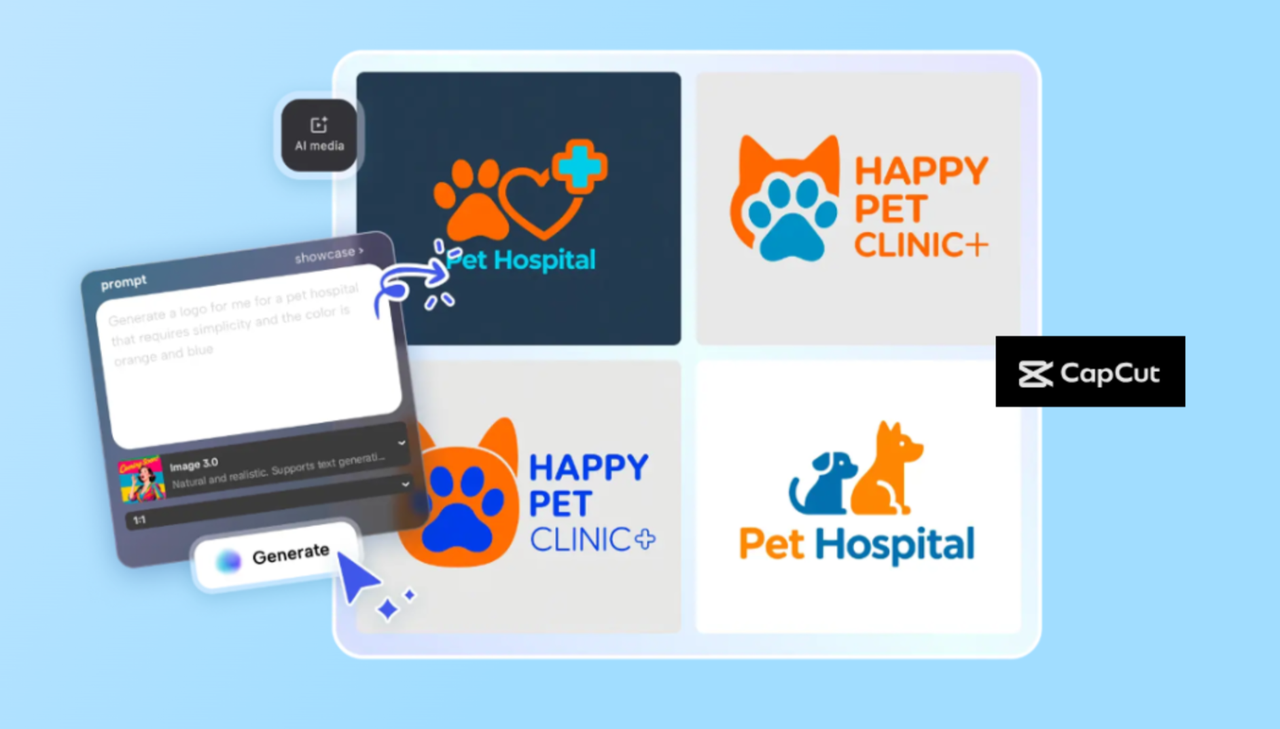
With the rise of the AI logo generator, you can describe your idea in words and let the system bring it to life. For example, type “a minimalist camera logo in teal and black,” and in seconds, you’ll get multiple creative options ready for editing.
The beauty of AI-generated logos is that they combine technology and creativity. They save time while still letting you customize details — like shapes, colors, and text — until it matches your brand’s personality.
How to Create an AI-Generated Logo in CapCut PC
Creating a logo with CapCut’s AI tools is simple and fun. The AI logo generator is built right into CapCut PC, so you don’t need to switch between multiple apps. Here’s how you can do it in just three easy steps:
Step 1: Describe Your Logo Idea
Open CapCut on your computer and start a new project. Go to AI Media → AI Image. Here, type a detailed prompt describing your dream logo — for example, “a bold letter M logo in neon blue with a futuristic glow.”
You can also upload a reference picture if you already have a visual style in mind.
Step 2: Generate with AI
Once your prompt is ready, choose a generation model, such as Image 4.0. Then click Generate. CapCut’s AI will instantly design a logo that matches your description. You can view different results and pick the one that fits your brand best.
Step 3: Export and Use
When you’re happy with the design, click the three-line icon above the editing panel and select Export Still Frame. Choose your preferred format and resolution (up to 8K) and download your new logo.
You can then animate or integrate it into your CapCut videos for intros, outros, or branding.
From Logo to Full Brand Identity
Expanding Your Brand with AI Tools
Once you’ve created your logo, you can use it across your entire content strategy — from video thumbnails and ads to social media banners.
CapCut PC makes it easy to build a consistent brand style by letting you edit videos, add effects, and integrate your logo into every project.
If you need to prepare your logo for overlays or motion graphics, CapCut Web offers a transparent background maker that removes image backgrounds instantly.
This helps you create clean, professional assets that can be reused in any video or design without losing quality.
A Seamless Workflow
By using both CapCut PC and CapCut Web, you get a complete creative system: one for powerful desktop editing and one for quick, on-the-go adjustments in your browser.
Together, they make it easier for content creators and small business owners to keep their branding fresh, consistent, and AI-enhanced.
The Future of AI in Branding
Human Creativity + AI Intelligence
AI tools are becoming partners in creativity rather than just digital assistants. They speed up the technical parts — like layout and color testing — while leaving room for human imagination.
In the future, AI-generated logos might adapt automatically based on the user’s behavior or device type. For example, your logo could subtly change color for different audiences or animate differently on mobile versus desktop.
CapCut is already paving the way for this future by merging AI creation tools with an easy-to-use editing environment, helping users go from idea to finished design without technical barriers.
Why CapCut Leads the Way in 2025
CapCut’s combination of smart design, editing power, and AI creativity gives users an edge in 2025. Whether you’re building a new brand, refreshing your visuals, or launching a YouTube channel, you can now create professional, AI-powered logos and videos in one app.
The AI logo generator in CapCut PC turns your imagination into reality in just a few minutes. Plus, its advanced export features and animation tools make your logo look studio-ready — even if you’ve never designed before.
When combined with CapCut Web’s transparent background maker, you get everything needed to craft a complete, modern brand identity online.
Conclusion: The Future Belongs to Creative Brands
In 2025, branding isn’t about having just one logo — it’s about building a living, evolving visual identity.
AI tools make this evolution faster, smarter, and more accessible for everyone. With CapCut PC, you can design logos, animate them, and blend them into powerful video content.
If you haven’t explored AI-powered design yet, now’s the perfect time. Try CapCut’s AI logo generator, remove distractions with its transparent background maker, and step confidently into the future of creative branding.
Because in the world of design, 2025 is the year when AI meets imagination — and creativity finally has no limits.
Comments